> For the complete documentation index, see [llms.txt](https://docs.kegland.com.au/products/llms.txt). Markdown versions of documentation pages are available by appending `.md` to page URLs; this page is available as [Markdown](https://docs.kegland.com.au/products/canning-equipment/cannular-compact-semi-auto-canning-machine-or-user-guide/getting-started-and-initial-setup.md).
# Getting Started & Initial Setup
KL15769 Cannular Compact Semi-Auto Canning Machine |Setup
{% hint style="danger" %}
Aluminium cans should only be used to store beer. They have not been tested with other beverages such as wine or spirits.
{% endhint %}
{% hint style="danger" %}
Do not operate the cannular without first confirming the cannular is in specification according to the specific chuck used. Confirm the rollers do not contact the chuck prior to operation of the machine by manually turning the chuck or flywheel through a full cycle.
{% endhint %}
{% hint style="danger" %}
Ensure the cannular is unplugged before placing any body part near any moving parts or when manually rotating the motor or the chuck. There is a risk of serious injury or damage to the motor if the cannular is plugged in while making any adjustments.
{% endhint %}
{% hint style="warning" %}
Avoid contact of any electrical components with liquid.
{% endhint %}
### Getting started
Immediately upon unpacking the Cannular inspect the unit for any signs of damage and do not operate the Cannular if any damage is observed.
The Cannular has been designed to suit cans available from KegLand and comes standard with a B64 chuck which is compatible with cans available from KegLand. It is possible to setup the Cannular to seam a wide range of can heights and diameters by setting up the machine differently. For different can sizes you will need to adjust the rollers and change the chuck to suit the specific non-KegLand can end.
If you are using cans from a different supplier we do not offer dies or information about machine setup for cans that we do not sell. You will need specification and machine setup information from your can supplier.
A 24V Power supply rated to a *minimum* of 12.5 amps with a standard Anderson Plug is required to run the Cannular. If you do not have a power supply they are stocked on our website. **Only the un-wired 20A power supply or 24V 12.5A DC power supply should be used with the Semi-Auto Cannular.**
* KL10856 [24V DC (20Amp) Power Supply With Anderson Plug – unwired](https://www.kegland.com.au/24v-dc-20amp-power-supply-240v-ac-50-60hz-with-anderson-plug-high-amp-current.html)
* KL17343 [24V DC Power Supply – For Semi-Auto/Manual Cannular and Maltzilla](https://www.kegland.com.au/24v-dc-power-supply-for-semi-auto-cannular.html)
{% hint style="info" %}
**Power supplies are sold separately.**
{% endhint %}
The Cannular is a portable light weight canning machine. The feet are designed to grip the bench top; however, if you are planning to use the canning machine for an extended period of time in the same position we recommend clamping or mounting the machine to your bench top.
The Cannular can be mounted to a bench by drilling a screw through the mounting brackets on the bottom of the Cannular.
### Initial start-up (factory calibration and first checks)
Your Cannular is calibrated and set up at the factory to seam KegLand 500 mL B64 cans ([KL05449](https://www.kegland.com.au/aluminium-disposable-full-aperture-beverage-can.html), [KL18517](https://www.kegland.com.au/full-aperture-aluminium-disposable-beverage-beer-cans-black-skin-with-lids-207-units-x-500ml.html) and [KL15684](https://www.kegland.com.au/full-aperture-aluminium-disposable-beverage-beer-cans-silver-skin-with-lids-207-units-x-500ml.html)). **Due to transit it may have shifted out of specification**. Calibration is an essential requirement of all canning setups and must be checked before seaming. All canning machnes require periodic calibration to ensure consistency and pressure tight seaming.
Before Calibration perform the following start up procedure/checks.
{% stepper %}
{% step %}
### Access and roller contact check
* Remove the cover of the Cannular using a 4mm Allen Keyto improve access to the chuck, rollers and flywheel.
* With the Cannular unplugged from the power supply, turn the flywheel or the chuck clockwise until both rollers have completed their full rotation to ensure that neither of the rollers contact the chuck at any point. If either roller contacts the chuck then adjust the position of the rollers according to the measurements in [**Calibration & seam quality (B64 ends)**](/products/canning-equipment/cannular-compact-semi-auto-canning-machine-or-user-guide/calibration-overview.md#calibrating-to-achieve-correct-double-seam-specification-b64-ends).
Important: **Under no circumstances allow the rollers to come into contact with the chuck**. Both chuck and rollers are hardened steel and require high tolerances; contact will damage them.
{% endstep %}
{% step %}
### Prepare a test can after confirming rollers do not contact chuck
* Fill a can with soda water or another carbonated beverage, and place the lid on the full can.
* Adjust the height of the table to suit the size of the can, place the can on the table and plug the Cannular into the power supply.
{% endstep %}
{% step %}
### Set rollers to start position and test run
* Before raising the table ensure that the rollers are at their starting position: set the power on/off switch to **ON** (depressed), then press the operation button. The Cannular will run through its full operation and return to its starting position.
* Raise the table and ensure the can and can lid are held firmly into the chuck.
* Press the **operation** button (with the power on/off switch in the **on** position).
{% endstep %}
{% step %}
### Inspect seam and calibrate if required
* After the Cannular has run through its full operation and has returned to its resting position, lower the table, remove the can and inspect the seam for leaks.
* If the seam leaks then [calibrate the Cannular according to the calibration instructions](https://docs.kegland.com.au/products/canning-equipment/cannular-compact-semi-auto-canning-machine-user-guide/calibration#calibrating-to-achieve-correct-double-seam-specification).
* We recommend checking seam specifications every 50,000 cans or once a year to ensure tolerances remain acceptable.
{% endstep %}
{% endstepper %}
### Cannular Overview Images
#### Operation Rollers & Chuck Images
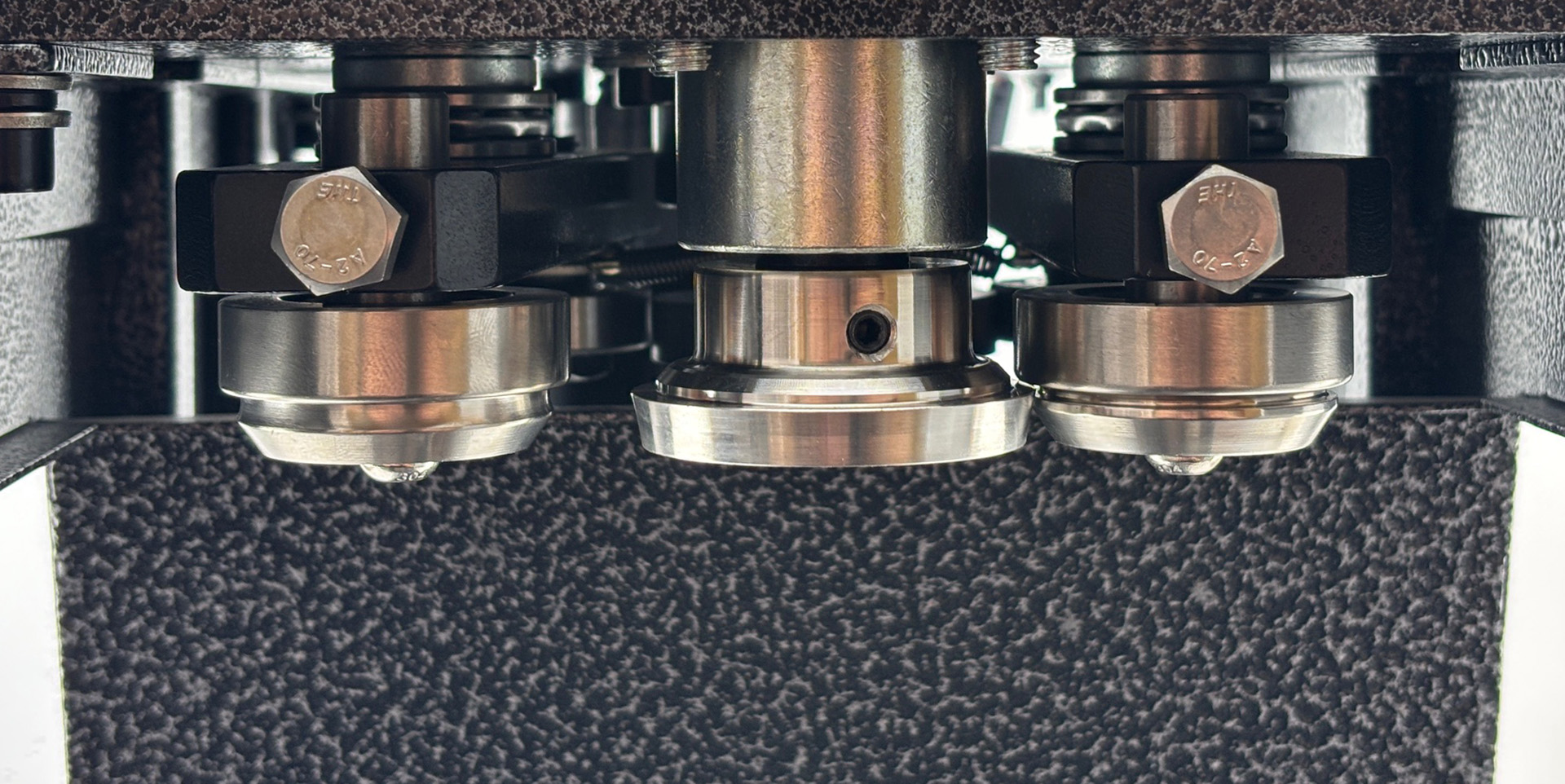
1. 1st & 2nd Operation Rollers in start position - furthest from chuck
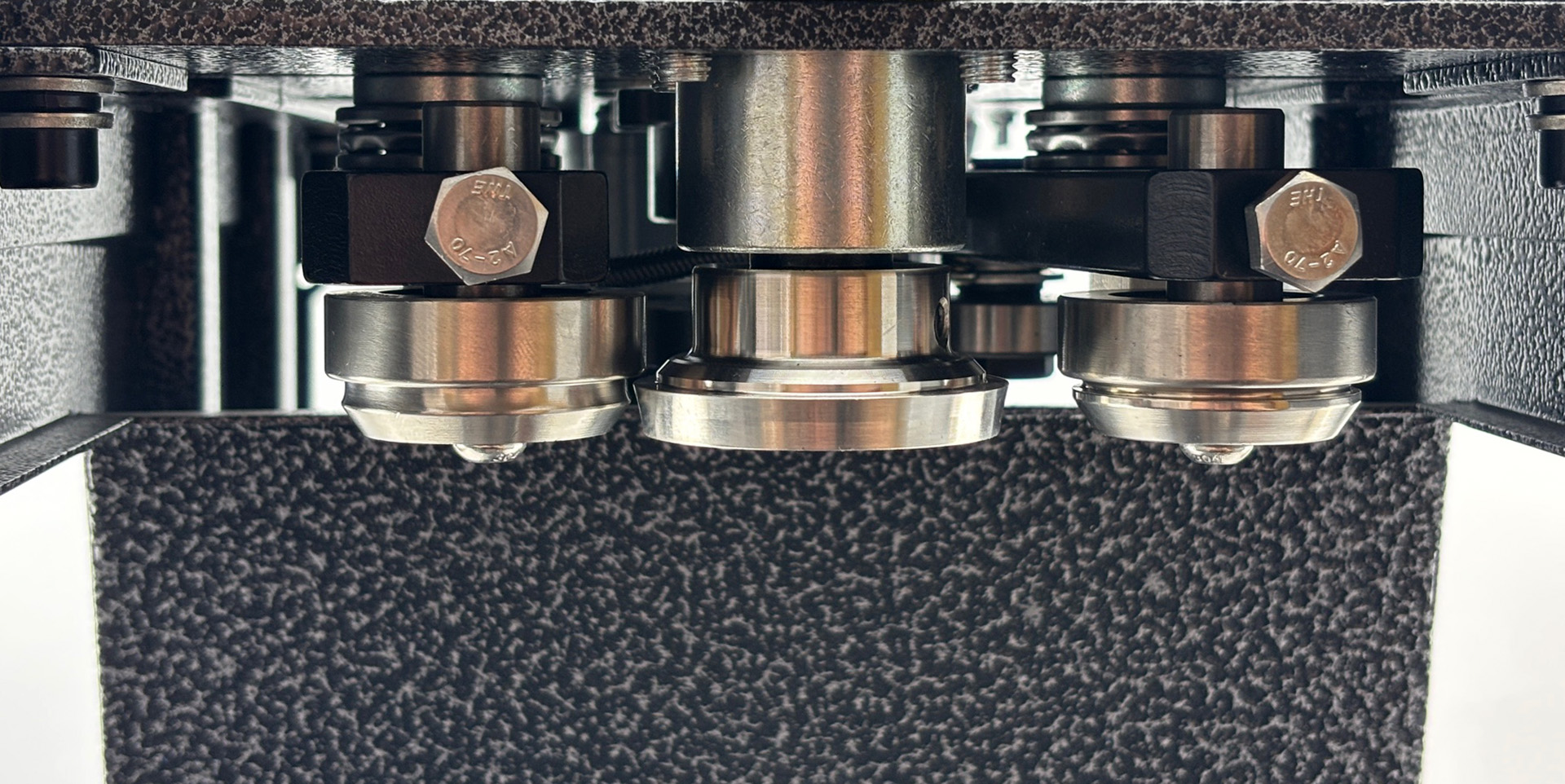
2. 1st Operation Roller in operation position - closest to chuck
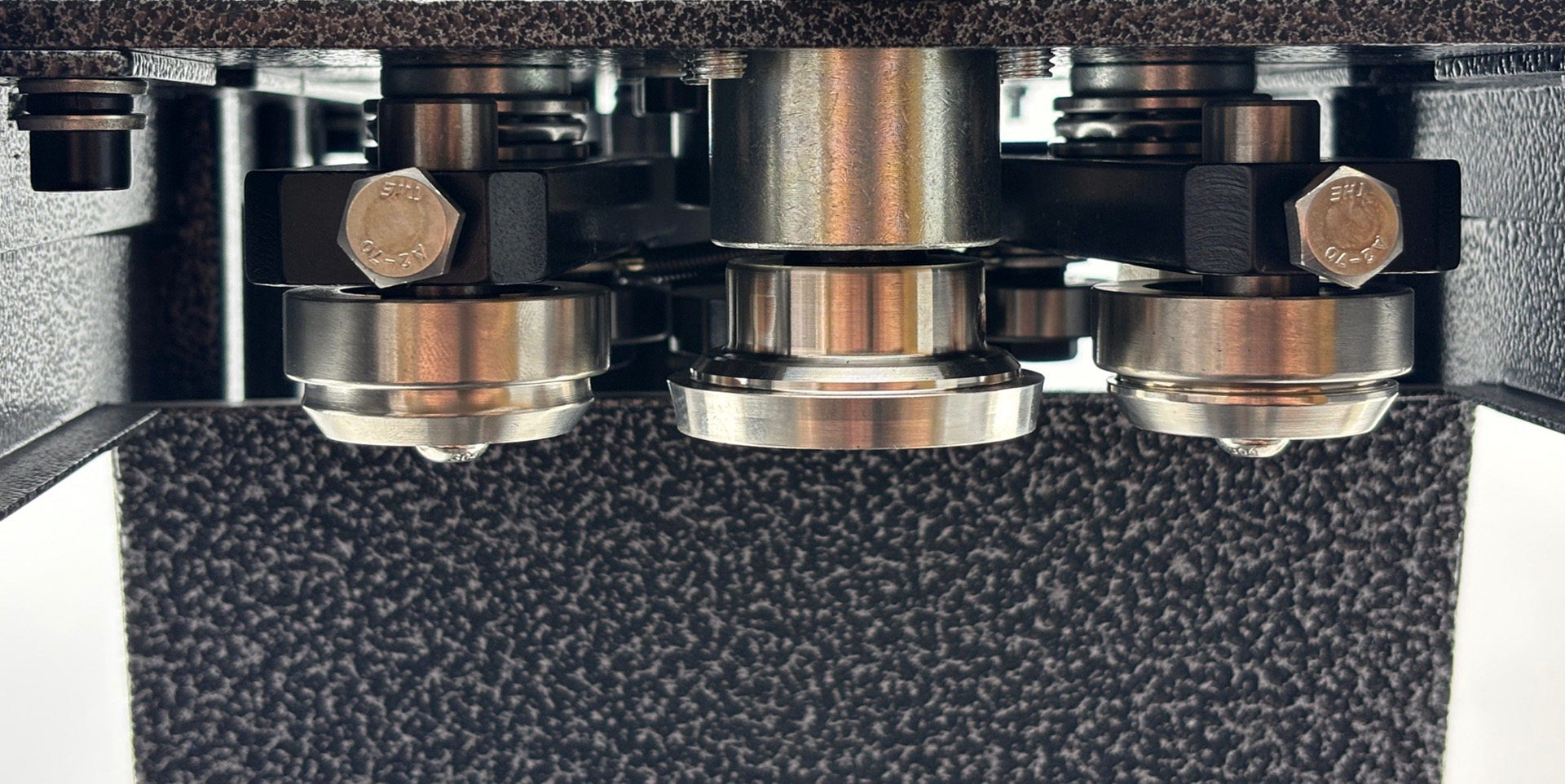
3. 2nd Operation Roller in operation position - closest to chuck
4. Both operations complete - both rollers back to start position
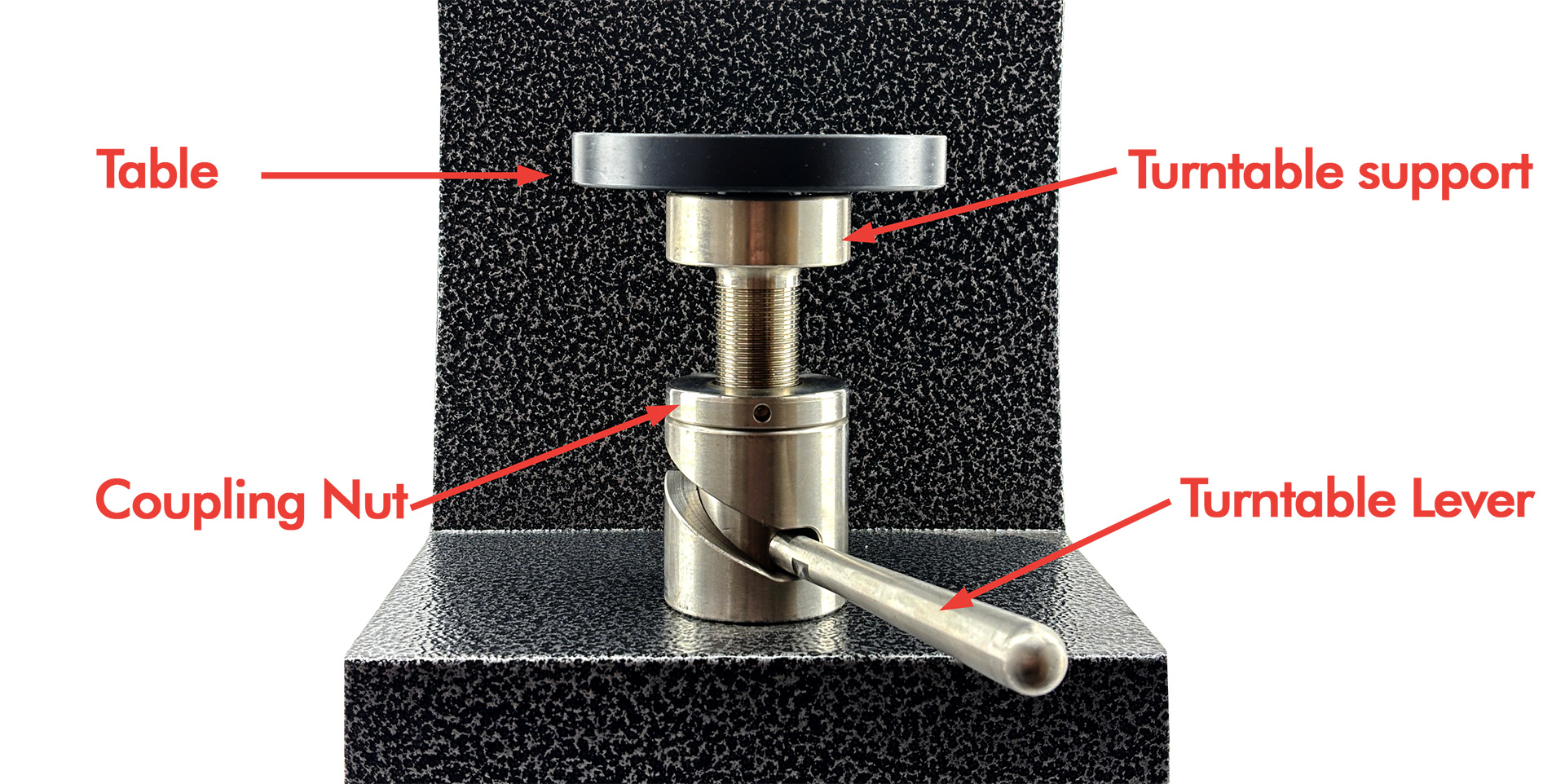
#### Cannular Table Images
Cannular Table Images
#### Cannular Switch Images
Cannular Switch Images
#### Cannular Roller Adjustment Nut Images
Cannular Roller Adjustment Nut Images
***
### Power / Operation buttons
* When the power (On/Off) switch is not depressed, pressing the operation (momentary) switch will nudge the motor/rollers — useful for adjustments.
* When the power (On/Off) switch is depressed, pressing the operation (momentary) switch will run the motor through its full rotation. Ensure the Cannular is in specification before running a full cycle.
### Changing and adjusting the chuck
**The Cannular is shipped with a B64 chuck for B64 can ends**. All KegLand aluminium cans are suited to a B64 chuck.. For non-KegLand can ends you may need a different chuck and setup information from your can supplier. VISY or CDLE/CDL can ends require a KL14670 [VISY Chuck](https://kegland.com.au/products/visy-chuck-for-cdle-cdl-ardagh-group-can-ends-suits-cannular-canning-machine?_pos=1&_sid=69b2a1437&_ss=r).
To change the chuck:
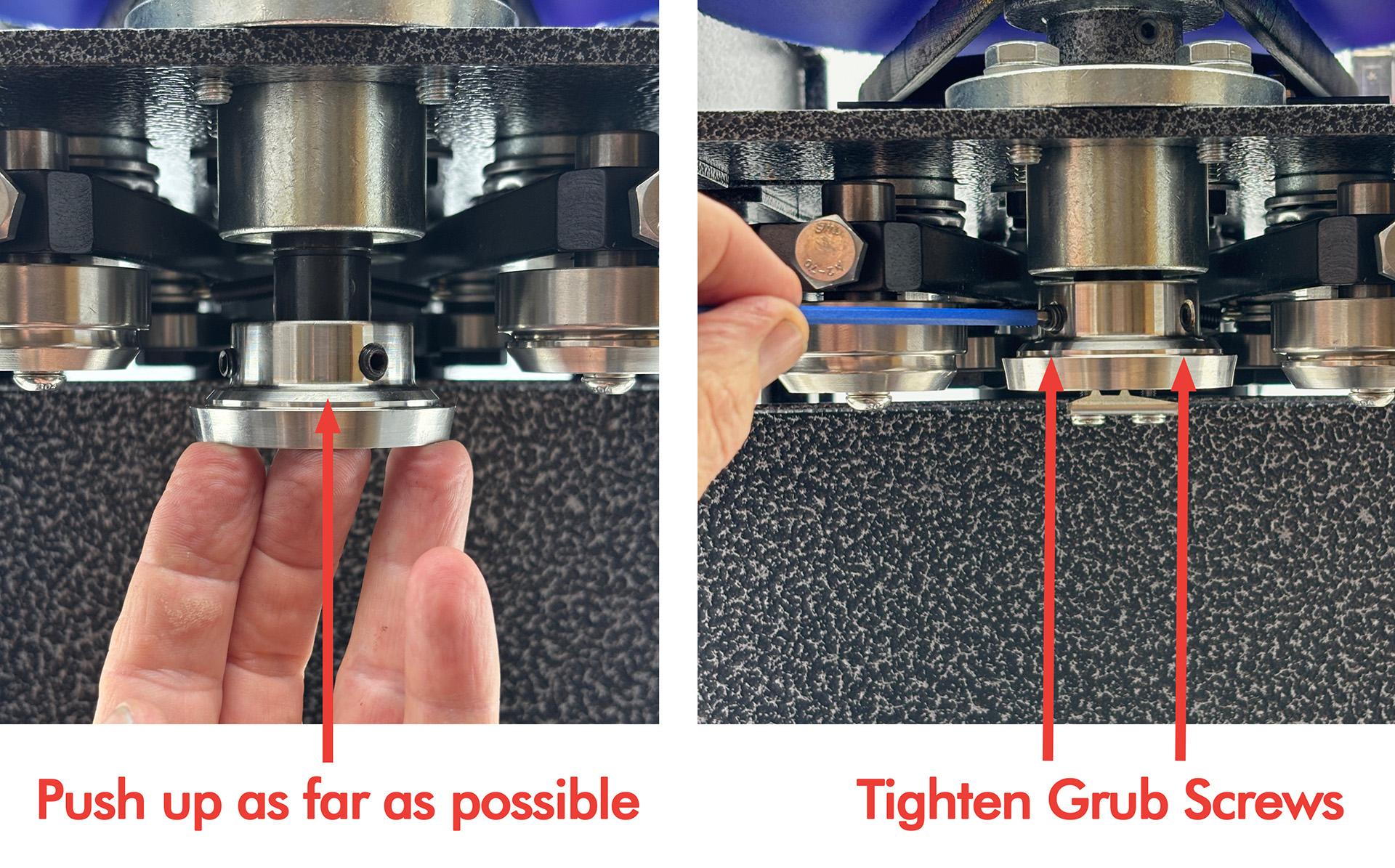
* Unscrew the two grub nuts using a 3 mm Allen key and pull downwards to remove the chuck from the drive shaft (may require force).

* Push the required chuck as far up onto the drive shaft as it will go and fasten with the two grub nuts. Tighten grub screws securely.