> For the complete documentation index, see [llms.txt](https://docs.kegland.com.au/products/llms.txt). Markdown versions of documentation pages are available by appending `.md` to page URLs; this page is available as [Markdown](https://docs.kegland.com.au/products/hizo/hizo-one-shot-instant-read-folding-thermometer-pen.md).
# HIZO One-Shot Instant Read Folding Thermometer Pen
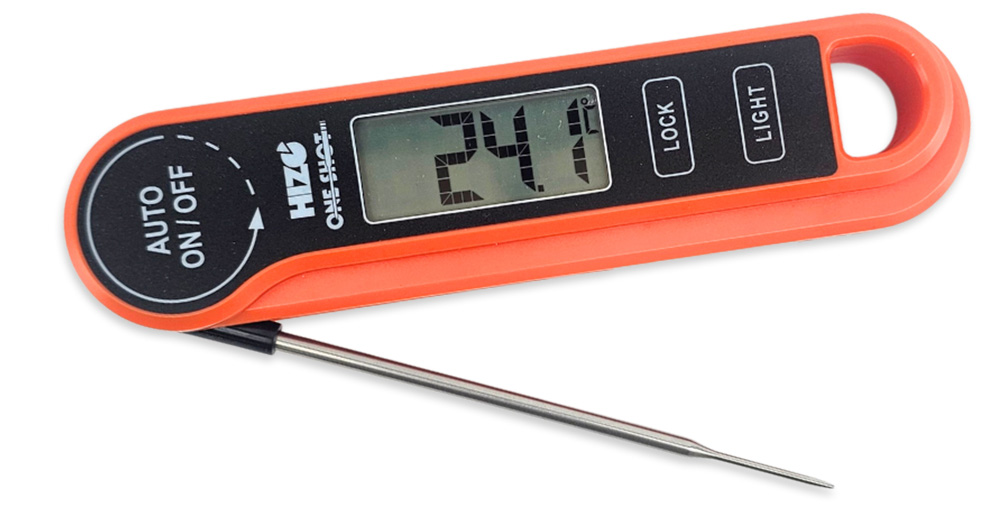
KL48446 HIZO One-Shot Instant Read Folding Thermometer Pen User Guide
#### Features
\- Rotating 180° Screen\
\- Backlight\
\- 304 Stainless Steel Folding Thermocouple (Not Thermistor)\
\- Probe Type: Penetration\
\- Temperature Range: -50°C to 300°C (-58°F to 572°F)\
\- Temperature Accuracy: +/- 0.5°C (0.9°F)\
\- Reading Speed: 2 Seconds\
\- Auto-Off: 3 minutes\
\- Resolution 0.1°C (0.1°F)\
\- Requires 1 x AAA Battery.\
\- Includes small screw driver for battery case
**Dimensions**: 165mm (Long) 40mm (Wide) x 22mm (Thick)
**Thermocouple Probe:** 105mm Long
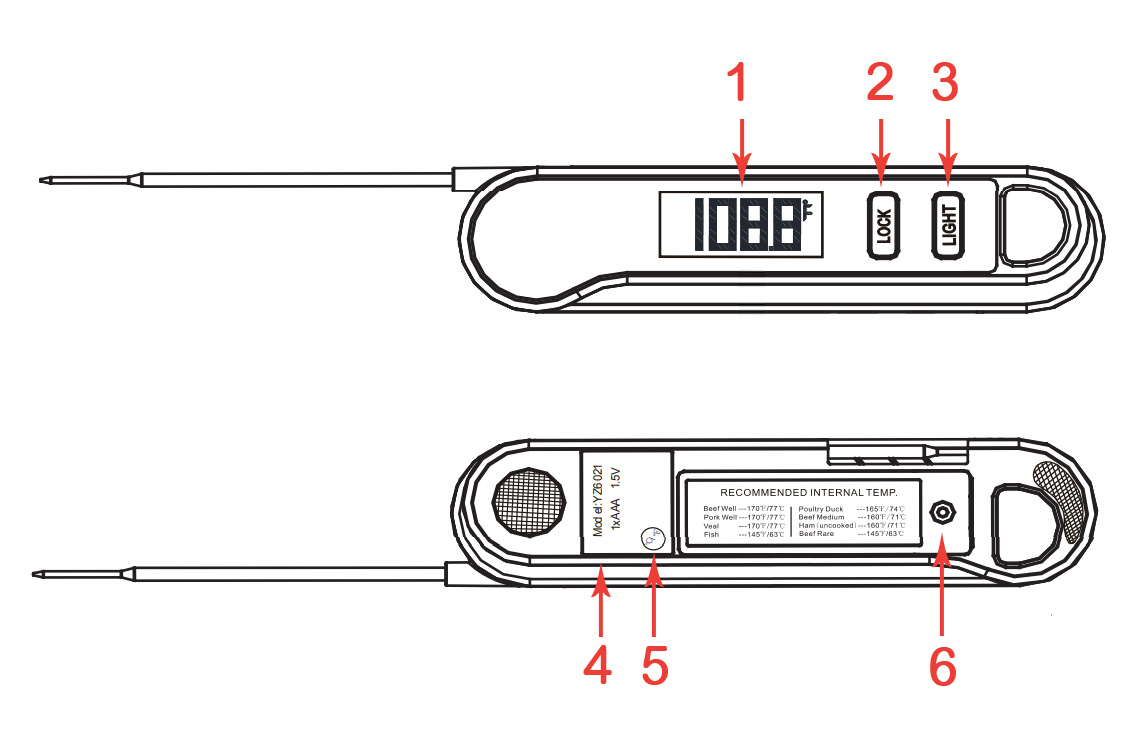
### Controls
{% columns %}
{% column %}
1. **Temperature Display**
2. **Lock/Calibration**
3. **Backlight**
{% endcolumn %}
{% column %}
4\. **Built In Magnet**
5\. **Celsius/Fahrenheit Display**
6\. **Battery Compartment - remove screw to access**
{% endcolumn %}
{% endcolumns %}
### Functions
* **LOCK**: Short press the **LOCK** button to lock the currently displayed temperature
* **BACKLIGHT**: Short press the **BACKLIGHT** button to illuminate the display. Short press again to turn the backlight off. The backlight will automatically turn off after 10 seconds
* **CELSIUS** or **FAHRENHEIT** Display: Long press the **C/F** button to switch the temperature diplay from one unnit to the next. This will be saved as the default. To revert to the previous nit, long press **C/F** again
* **CALIBRATION**: Long Press the **LOCK** button while opening the probe to turn the thermometer on to enter the 100°C Calibration Mode. See [Calibration ](#calibration)for more detail
### Operation
* Open the battery compartment (6) by removing the Phillips head screew with a suitable screwdriver. The thermometer requires 2 x AAA batteries. Ensure correct polarity when installing batteries
* Open the probe to turn on the thermometer.
* Closing the probe turns the thermometer off. If left open, the therm,ometer will power off after \~ 10 minutes
* Insert the tip of the probe where you wish to measure the temperature. The thermometer will display the current temperature
* Short press the **LOCK** button to lock the currently displayed temperature if desired
* Short press the **BACKLIGHT** button to illuminate the display if desired
### Calibration
#### 100°C Calibration
1. Bring a pot of water to a boil. Once boiling, turn down to maintain a simmer at 100°C
2. Hold the **LOCK** button while opening the probe to enter 100°C Calibration Mode. The screen displays CAL. After CAL flashes for 3 seconds, the current temperature is displayed and flashes.
3. Insert the probe into the pot of simmering water at 100°C
4. When the displayed temperature stabilises, press **LOCK** to save the calibrated temperature value. NOTE: If the measured temperature is not with 96°C-04°C, the screen displays ERR and Calibration cannot be performed
### Notes
* Clean the probe after each use to avoid incorrect readings
* This is a handheld thermometer - do not use in a hot oven
* If measuring extremely hot food or liquids (over 300°C) do not leave the probe in contact for longer than 60 seconds
* Warning: The probe will remain hot for a short time after measuring hot food or liquid
* Do not immerse the body of the thermometer in liquid. The housing is splashproof but not waterproof